Tutor faces on the homepage
If you've visited the homepage today you'll have seen something new towards the top of the page: a row of eight real tutor cards. Tap any tile and you land on that tutor's profile.
The eight rotate daily. Tutors with reviews and a current safeguarding badge are more likely to appear; hourly rate, location, browse history and "editorial picks" are not in the formula. No tutor can pay to be there. Holiday-mode tutors are excluded so a parent doesn't enquire and get nothing back. The full inputs are documented on /how-we-rank.
A profile editor that works on a phone
Editing a tutor profile on a phone has been a real chore. The desktop editor is one long page with a sticky sidebar, which is fine at desktop sizes and a squint at everything smaller. Several tutors had written to point this out.
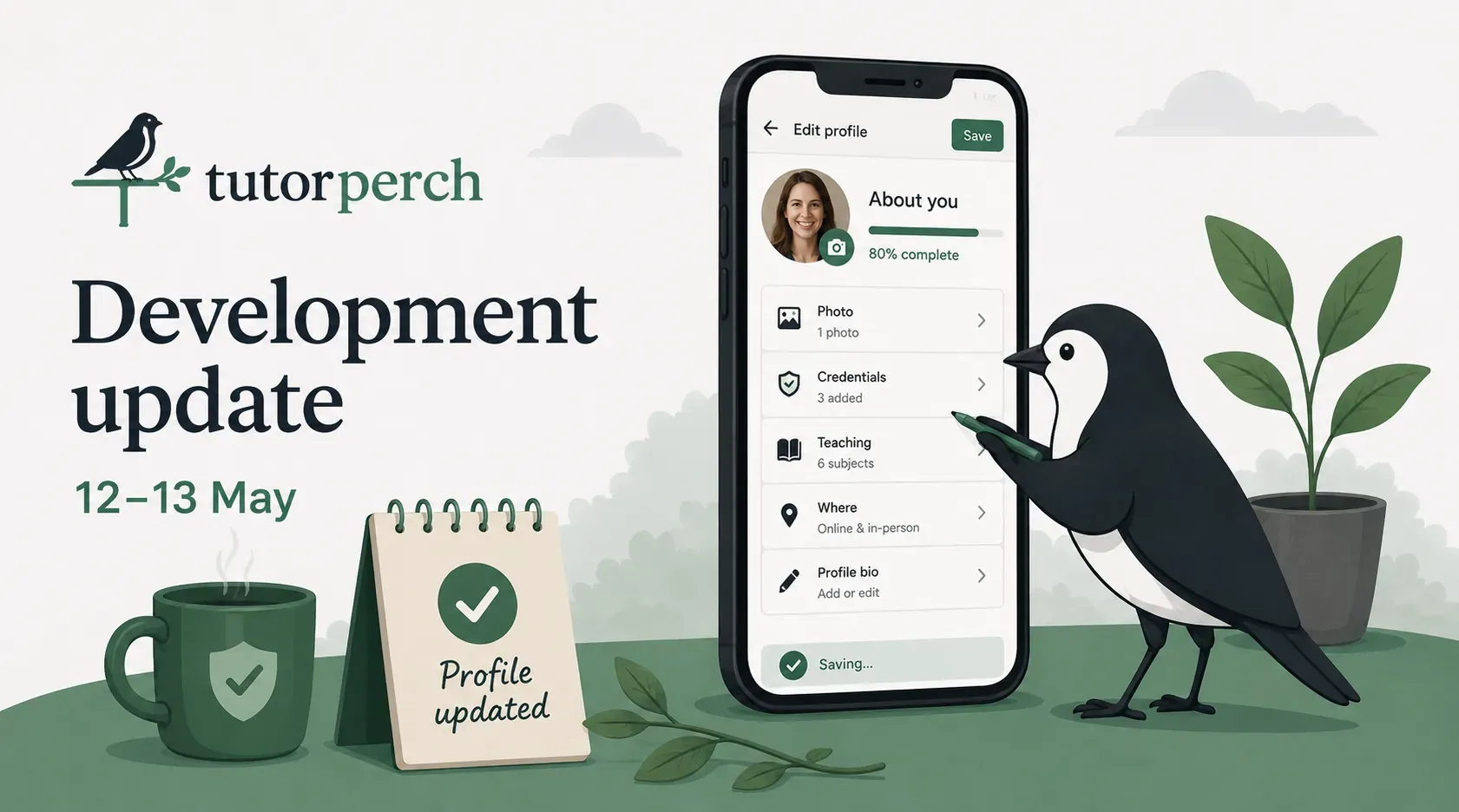
From this week the mobile editor is broken into sections. The /me/profile dashboard shows a card per section (About you, Photo, Credentials, Teaching, Where), each with a small completion summary. Tap in and you get a focused page covering only those fields, with a saving indicator at the bottom that shows the moment you start typing. The bio editor and the block-discount editor open full-screen, with inline warnings underlining contact details or overt rating claims as you write.
Desktop is unchanged. Both editors save to the same place, so switching between phone and laptop mid-edit is safe.
A better location picker
The old picker on your profile asked for a postcode and looked up the council area from a built-in table. That worked for most of the country and got stuck on a stubborn handful: a Bath tutor's BA2 postcode pinned them to Wiltshire, an Acton tutor's W3 landed in Hounslow. Some postcodes straddle council boundaries, and the postcode alone doesn't say which side you're on.
It's now a single search that takes whatever you have: a postcode, an outcode like SW1A, a town, a village or a neighbourhood. Type it in, pick from the suggestions, done. A preview underneath shows the exact label your profile will display before you save.
The same picker drives the location box on the find page. Distance ranking now works off the centre of the picked neighbourhood rather than the broader outcode, so a Bow tutor sits closer to a Hackney search than they used to.
Existing tutors who set their location under the old picker still display correctly. The next time you save through the new search, the label updates to the cleaner version.
Group and 1-to-1 rates, separately
A change for tutors who teach in both shapes. Until this week the rate on your profile was a single number, so a tutor running small groups at £30/hr and 1-to-1 at £55/hr had to pick one. Parents paying the unlock fee at the headline figure could be in for a surprise.
You can now set a separate group rate per (subject, level), and both rates render distinctly on the profile and on tutor cards. Parents browsing the directory can filter to tutors offering group lessons.
Better first messages from parents
A change parents will notice the next time they message a tutor. The previous compose page was an empty text area, which worked but tended to produce under-specified messages. Year group missing, exam board missing, no preference between online and in-person. The tutor would spend two or three turns extracting the basics before the conversation could move.
That's been replaced with a short structured form. A parent picks who the lesson is for (their child, themselves, or someone they're arranging for), the subject and level from the tutor's actual offerings, and online vs in-person where the tutor offers both. Optional fields cover year group, when to start, and how often.
Before sending, the parent sees a preview step: the answers composed into a normal-looking message they can edit freely. The tutor sees a plain message in the usual thread. "Or write your own message instead" is always one tap away.
A pass through the catalogue
The directory is built around four lists: subjects, levels, exam boards and languages. Several of you have written in to point out where the catalogue needed editing, and we've gone through that feedback alongside an audit of our own.
- Scottish qualifications. "Higher" and "Advanced Higher" now read in the singular (the plural belongs to cohort statements). The awarding body is now named correctly throughout: SQA was replaced by Qualifications Scotland on 1 February 2026, so both names appear with the official one leading. National 3, National 4 and National 5 are split into separate levels rather than rolled up into "Scottish Nationals".
- Cambridge International labelling fixed. No longer listed as a board for UK-domestic GCSE, AS-level or A-level (it doesn't run those). It only covers the international variants: IGCSE, International AS, International A-level.
- WJEC and Eduqas split. Same organisation, two brands: WJEC for Wales, Eduqas for England. Both now exist as separate rows.
- BTEC split into Level 1, Level 2 and Level 3. A parent looking for an A-level-strength BTEC tutor shouldn't have to wade past every L1 Engineering tutor.
- Welsh Baccalaureate updated. The Advanced Skills Baccalaureate Wales (ASBW) and the Skills Challenge Certificate are both now listed, with notes on where each fits in the ongoing reform.
- Cambridge English suite now listed under the current CEFR-prefixed names (B2 First, C1 Advanced and so on), with the older abbreviations (FCE, CAE, CPE, PET, KET) kept as search aliases so "FCE tutor" still works.
- ESAT (the Engineering and Science Admissions Test) replaces the retired PAT and is now its own subject under Prep, alongside STEP, TMUA and MAT.
- Latin and Ancient Greek removed from the spoken-languages picker. They remain real tutorable subjects under Classics; Living-Latin pedagogy does exist, but the picker isn't the place for it. Persian (with Farsi as an alias), Dari and Pashto were added recently alongside two dozen other diaspora languages.
- Creative Writing now stands as its own subject rather than tucked under English Literature.
- Spelling consistency. "Panjabi" is now the primary spelling (matching AQA's spec sheet) with "Punjabi" listed as an alias; the same shape applies to "Hebrew (Modern)" vs "Modern Hebrew". Variant spellings of common qualifications (A-Level, A Level, eleven plus and so on) all now resolve to the same listing.
Underneath this we built a tool for the admin team to handle ongoing edits like these directly, so the next spelling fix or new search alias doesn't need a code change.
How search ranking decides who's at the top
The search-ranking formula has been refined in three ways.
Reviews now fade with age. A review left this week carries full weight; one around eighteen months old contributes about 70%; one from three years ago drops to around 40%. A tutor who was excellent two years ago and has since slipped doesn't keep that reputation forever; a tutor doing well now, whether they always have or have improved recently, keeps the credit.
New tutors aren't yanked around by single reviews any more. Previously a single five-star review could leapfrog an established tutor with fifty four-stars. It now takes roughly four perfect reviews to begin pulling clearly above the starting score.
The starting score for an unreviewed tutor has come down slightly, so a tutor with no reviews now sits a fraction below the platform average rather than at it. Tutors who've built up a review history get a small consistent lift.
The worked example on /how-we-rank has been rewritten alongside this, with a clean mathematical formula and a "Try your own numbers" calculator.
Safeguarding badges, brighter and clearer
The verified safeguarding badge on tutor cards and profiles has been polished. It now reads DBS verified, PVG verified or AccessNI verified instead of the longer "Safeguarding ({scheme})" label, and the colour leans subtly differently between the three schemes (all in the green family) so a parent skimming the page can recognise which scheme a tutor holds. Hover the badge for the full descriptor.
Small things
- Per-language proficiency on your profile. The old native vs non-native toggle collapsed too much. A tutor who is Italian native, English near-native and Spanish fluent shouldn't have to file two of those under the same label. Each language can now be marked native, near-native, fluent or conversational.
- Subjects on tutor cards. Each tutor card on a directory listing now shows the subjects that tutor teaches (with a "+N more" overflow), so a parent skimming results can see at a glance who teaches what.
- Offerings editor: multi-board on one row. A tutor teaching GCSE Maths across AQA, Edexcel, OCR and WJEC used to need four near-identical rows for the same content. One row with the boards ticked now does it.
- Bio paste and photo upload. Pasting your bio from another platform now works cleanly (the editor was silently dropping content from Word and Google Docs). The photo uploader shows progress and concrete errors instead of failing silently.
- Some admin actions that used to happen silently now send the tutor an email: verification fee refunds, account unlocks, identity-check attempt resets, a review of yours being hidden or restored, an erasure request being cancelled.
- Behind-the-scenes work has reduced our running costs without changing how the site behaves.
What's next
The mobile editor is the start of a broader pass on the tutor dashboard. The verification page and the messages screen are the next two in line.
The biggest work in flight, bringing First Tutors review history back onto Tutorperch profiles, will get its own update when it's ready for tutors to use.
If you've spotted something broken or missing, get in touch. We're reading every message.
Robert & Fiona